
Team Depot Program Contacts
Courtney Smith
Non-Store Field Teams & Western Division, Manager
Jordan Pedigo
Western Division, Sr. Specialist
Ann Caren
Northern Division, Manager
Kristine Cohn
Northern Division, Sr. Specialist, Team Depot Training
Chuck Segel
Southern Division, Manager
Gabe Sneller
Foundation Projects, Manager
Danny Watson
Foundation Projects, Manager
Adam Goslin
Corporate Volunteerism, Manager
Monisha Isom
Team Depot, Sr. Manager
Heather Prill
Director, Home Depot Foundation
Deed
Deed - Volunteer Management System (VMS)
Deed is the new grant platform that will host all Team Depot projects and volunteer opportunities. The system will provide the ability to electronically invite associates, monitor volunteer sign-ups, communicate with volunteers and more!
Grant/Project Submission
Deed VMS Captain Website: admin.joindeed.org
To submit a Team Depot grant, in partnership with the nonprofit partner, follow the steps below.
Step 1.
- Admin.joindeed.org
- Enter your Home Depot email address
- Note: For those with shared email addresses, please enter that shared email.
- Enter your Home Depot email address

- Click “The Home Depot Foundation Company log in” button
- Enter your Home Depot username (formerly known as LDAP) and password
Step 2. Select the Access the Team Depot project application portal button next to “Submit a Team Depot Project Application” at the top of the screen.

Step 3. Determine if you are applying for a funded or volunteer-only project and select Click Here to Apply under the corresponding title.
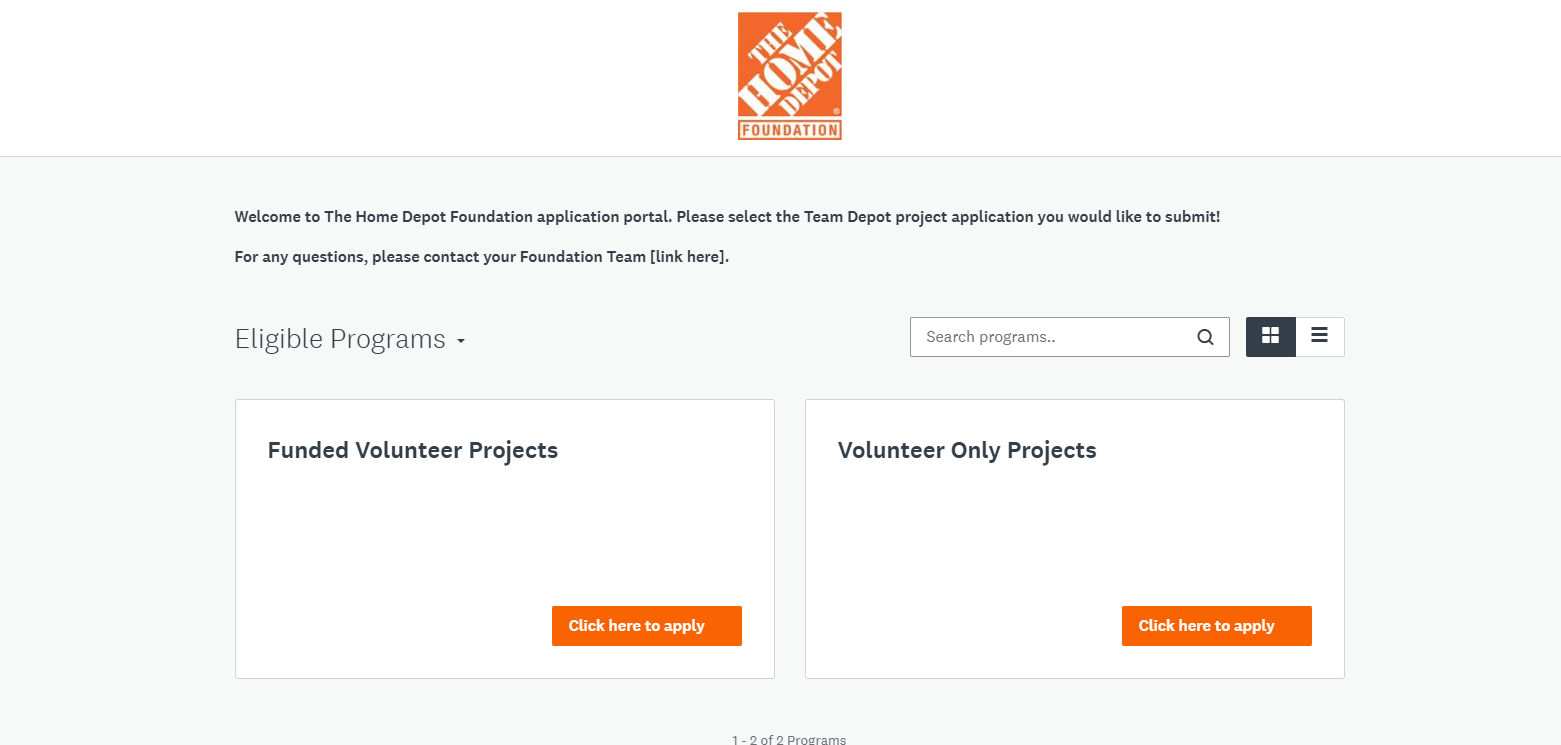
Step 4. Select Apply
Step 5. Your Nonprofit Collaborator
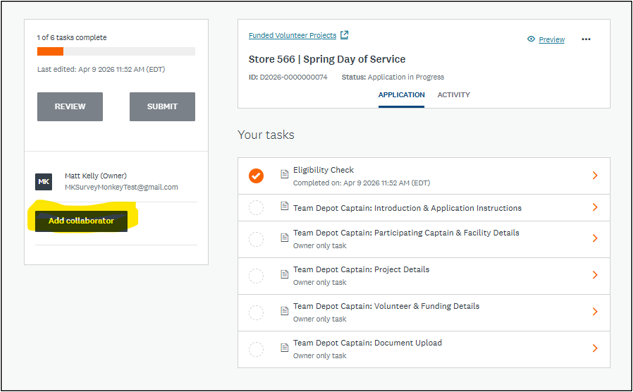
- Invite the nonprofit (“Partner Organization”) as a collaborator to your funded application via "Back to application" in the top left corner > Add Collaborator. Here, please enter the name and email address of your primary contact at the partner organization. This will trigger an email inviting them to collaborate on this application with you.
- If you are requesting more than $25,000 in funding, please ensure the authorized partner organization signer has also been added as a collaborator in addition to your primary partner organization contact (if they are different people).
- For more detailed information, click here for Captain VMS FAQs
Project Page Management
Once your grant application has been approved, you will manage the project page from the Deed site login used to access the grant submission page.
Step 1. Navigate to https://admin.joindeed.org/ [admin.joindeed.org] and login
- Enter your Home Depot email address
- Note: For those with shared email addresses, please enter that email
- Click “The Home Depot Foundation Company log in” button
- Enter your Home Depot username (formerly known as LDAP) and password
Step 2. Select Manage Deeds from the left-hand menu
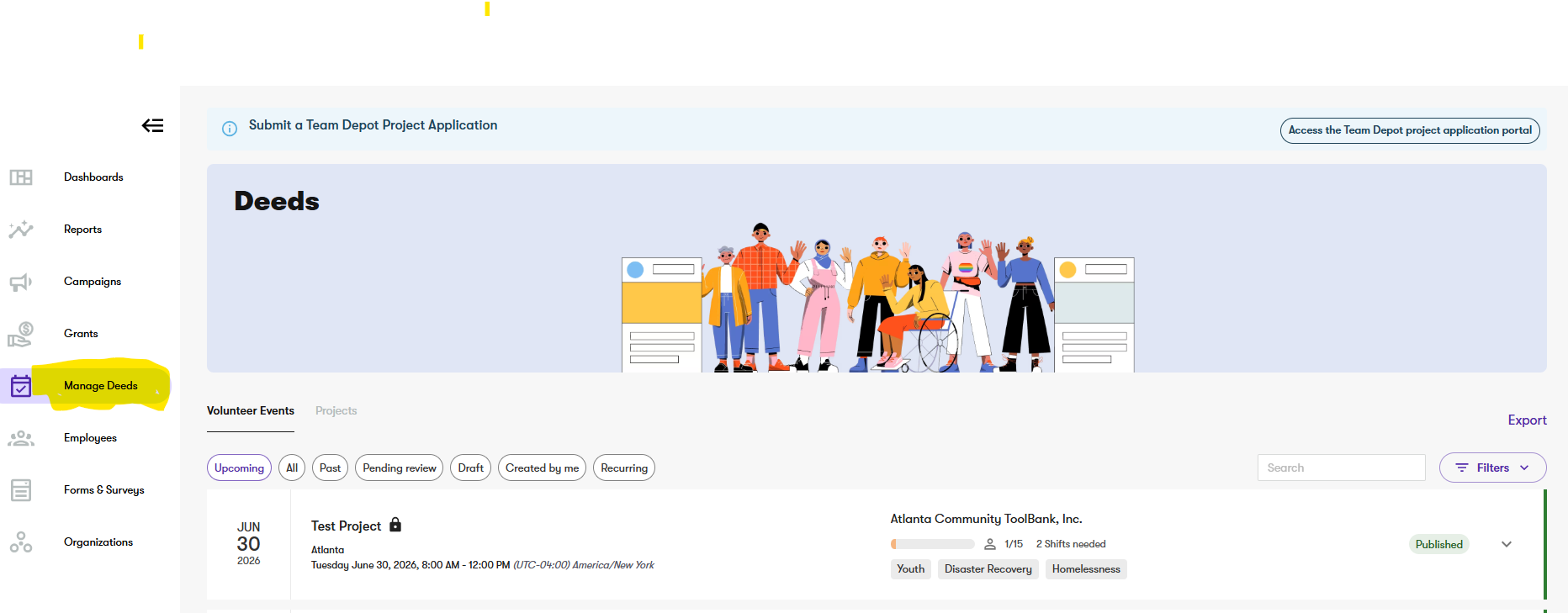
Step 3. Find your event – either scroll the page, or utilize the filters + search function
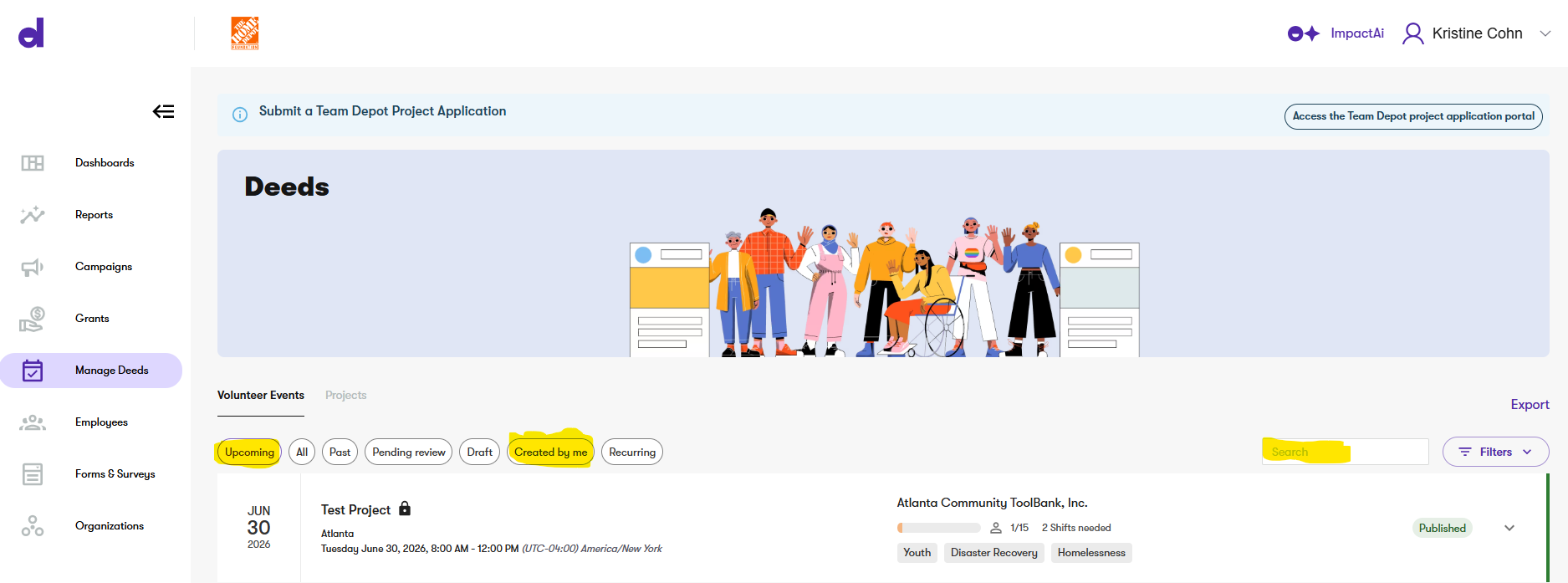
- Note – Selecting the “Created by me” button will automatically filter to only projects you have an approved application for
Step 4. Click on the event and view the details. To edit, click Edit Details
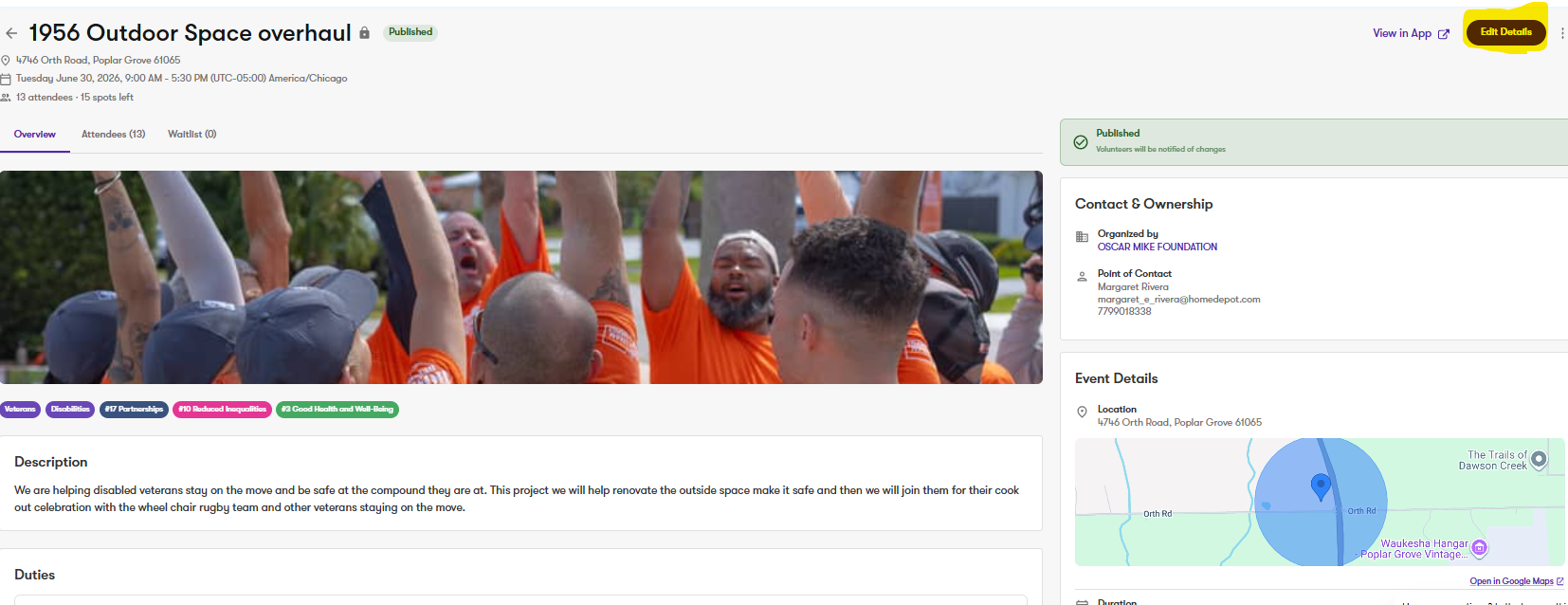
- Note: there are some sections available in the “Edit Details” page that are not relevant to Team Depot. Please bypass these. Any necessary field has been auto-populated for you from the project application.
Step 5. When you are done editing, click Submit at the bottom of the page
If you still have questions after reading these instructions, please reach out to your Foundation Field Manager or email Team_Depot@homedepot.com
Step 6. VMS Check-In/Day Of Project
- How do I sign-in associates at the project site?
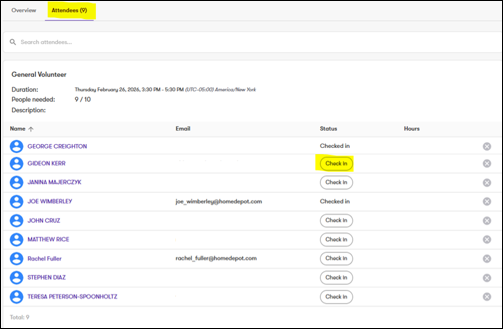
- Navigate to the project page in the Captain portal and click the Attendees tab in the top left corner
- From here, you can click Check In next to anyone that is present at the project
- For more detailed information, click here for Captains FAQs.
Additional Grant Information
Required Documentation for Grants
- Captain upload: Store quote
- Nonprofit upload:
- Certificate of Liability Insurance (COI) is required for all funding applications
- For funding requests greater than $25,000, the Board of Directors listing and most recent Form 990 are required
- No required documents for volunteer-only applications
Any nonprofit organization or government entity partnering with Team Depot is required to have either an official IRS Letter or a W-9 document to verify their organization.
Eligible Grantee Types:
THDF can grant to any of the following Grantee types:
- Organizations that fit criteria below and have been in operation for one year and is in good standing with the IRS.
- Government entities including but not limited to public schools, municipalities, Fire Dept., and Parks Dept.
- 501(c)(3) – Charitable, religious, scientific, literary, and other exempt organizations
- 501(c)(19) – Veterans’ Organizations (with 75% veteran membership)
Note: If you have an organization outside of these reach out to your Division Field Manager for guidance.
Grant Timeline
Week 1 - Grant application received
Week 2 - Grant is in review and documents verified
Week 3 - Grant revisions are sent via system and direct email
Week 4 - Grant revisions follow-up and communication
Week 5 - Grant revisions are received from Captain and updated in system
Week 6 - Grant is awarded and congratulations email is sent to all nonprofit and captain
Week 6 - Grant is automatically paid on either Wednesday or Friday
If you still have questions after reading these instructions, please reach out to your Foundation Field Manager or email Team_Depot@homedepot.com.